A contractor can find us four ways, and all four send him to the same first page. That page is the Score. It asks him one question: what does a homeowner see when they look you up? He types his business name and sees his own record. Then we give him his directory listing free, offer him the Premium Profile for $99 a year, and show him the membership. He can do all of it on his phone without a sales call.
Four ways he finds us
All four send him to the same first page.
The supply house counter
A table tent by the register and a flyer he can take. He sees it while he's buying supplies.
In progressPartners
Trade newsletters, contractor educators, podcasts and suppliers will send him to us.
In progressAds
Facebook ads aimed at established contractors. The ads will send him to the Score, not to the membership.
PausedVendors
A supply store, lumber yard or rental shop sets up its own profile with us. The vendor gets its own table tent and link, and every contractor who comes in through that link is credited to the vendor.
In progress Open the vendor funnel →The six steps
From the first scan to a paying member.
The question on the counter piece
The tent, the flyer and the ads all ask him the same thing: "See what a homeowner sees when they look you up." He scans the QR code to find out.
Waiting for approvalThe Score
He types his business name and sees his own record. Then he answers a few questions about the things we can't look up.
TestingThe free listing
His business is already in our directory. He claims the listing for free and fills it in.
TestingThe Premium Profile
The next screen offers him more on his listing for $99 a year.
TestingThe membership pitch
A video and the membership page show him what the membership does about the rest of his Score.
Written, not filmedCheckout
One plan, $295 a month. He pays and signs on the page, and his setup starts right away.
RunningEach step in detail
What each step does, what's built for it, and what's left. After the six steps, Step 7 covers his first week as a member.
Step 1: The question on the tent, the flyer and the ads
Every piece asks him the same question: what does a homeowner see when they look you up?
We ask it because a lot of contractors live on referrals, and a homeowner who gets his name from a friend looks him up before calling. Contractors say this themselves. One said, "your website right now is less of a lead generator and more of a credibility checkpoint." Another said, "referral clients still Google you before they call." So homeowners are checking him out online, and he may never have looked at what they see.
The question is only about his own business. In our research, contractors said they spot a vendor pitch as soon as it starts talking about their licenses and paperwork, so this question shows him his own record and stops there.
Built and working
- Tracking codes on every piece, by store and by message.
- Print-ready tent, flyer and card files.
- The wording: five headlines for the store test.
Still to do
- Approve the tent and the flyer.
Click through to the Score mockup Dan tests the live process with Mendez
Step 2: The Score
- He types his business name. Google Maps shows the businesses that match, with their addresses, and he taps his.
- He sees what a homeowner finds: his state license, where he comes up on Google Maps for his trade in his city, his Google profile, and his website on a phone.
- He answers 5 questions about calls, missed calls, bids, reviews and past customers.
- He gives his name, email and mobile, and we email him his Score.
- He sees where he might be losing work, starting with the one he can fix today: his free listing.
- He claims his free listing.
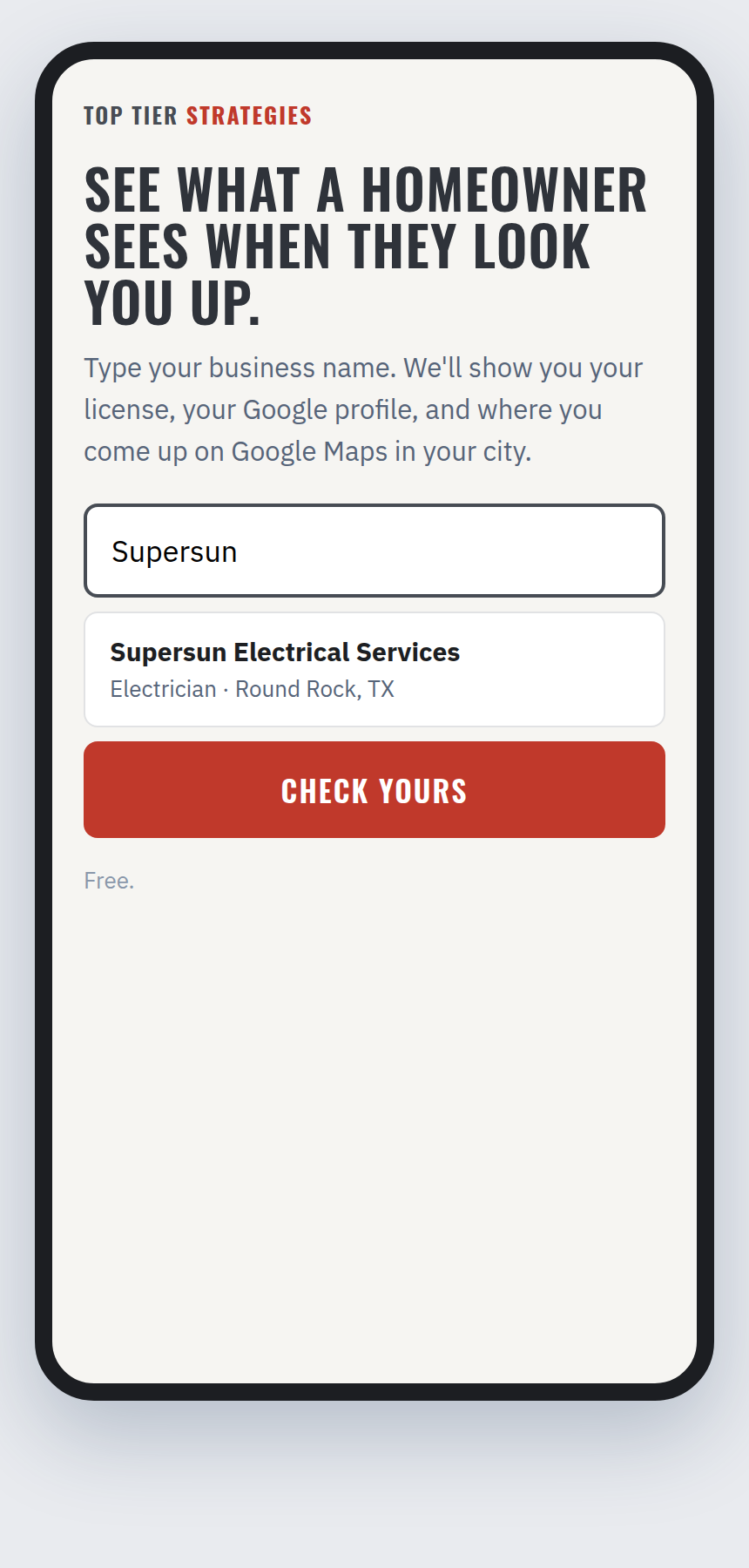 1. He types his business name
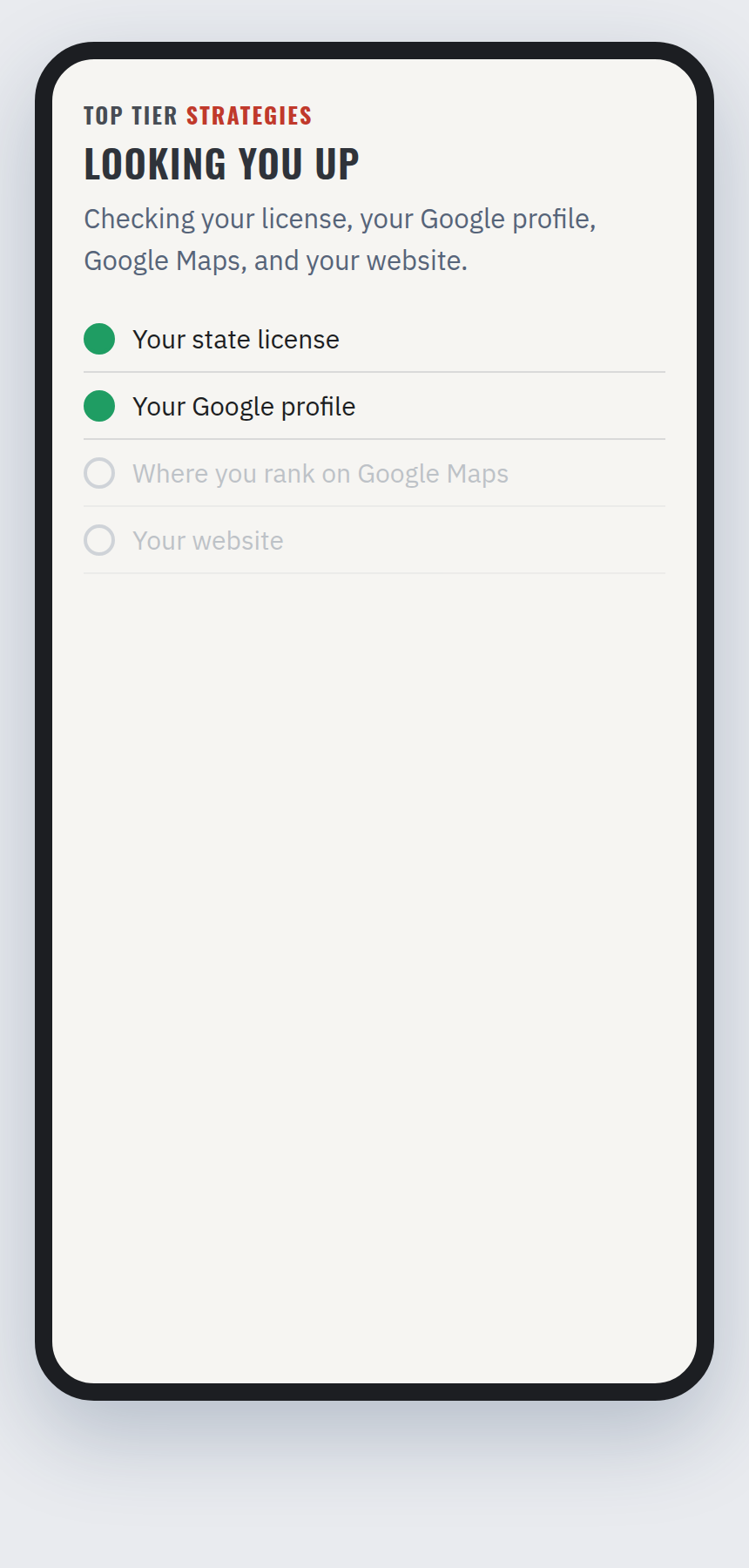 2. We look him up
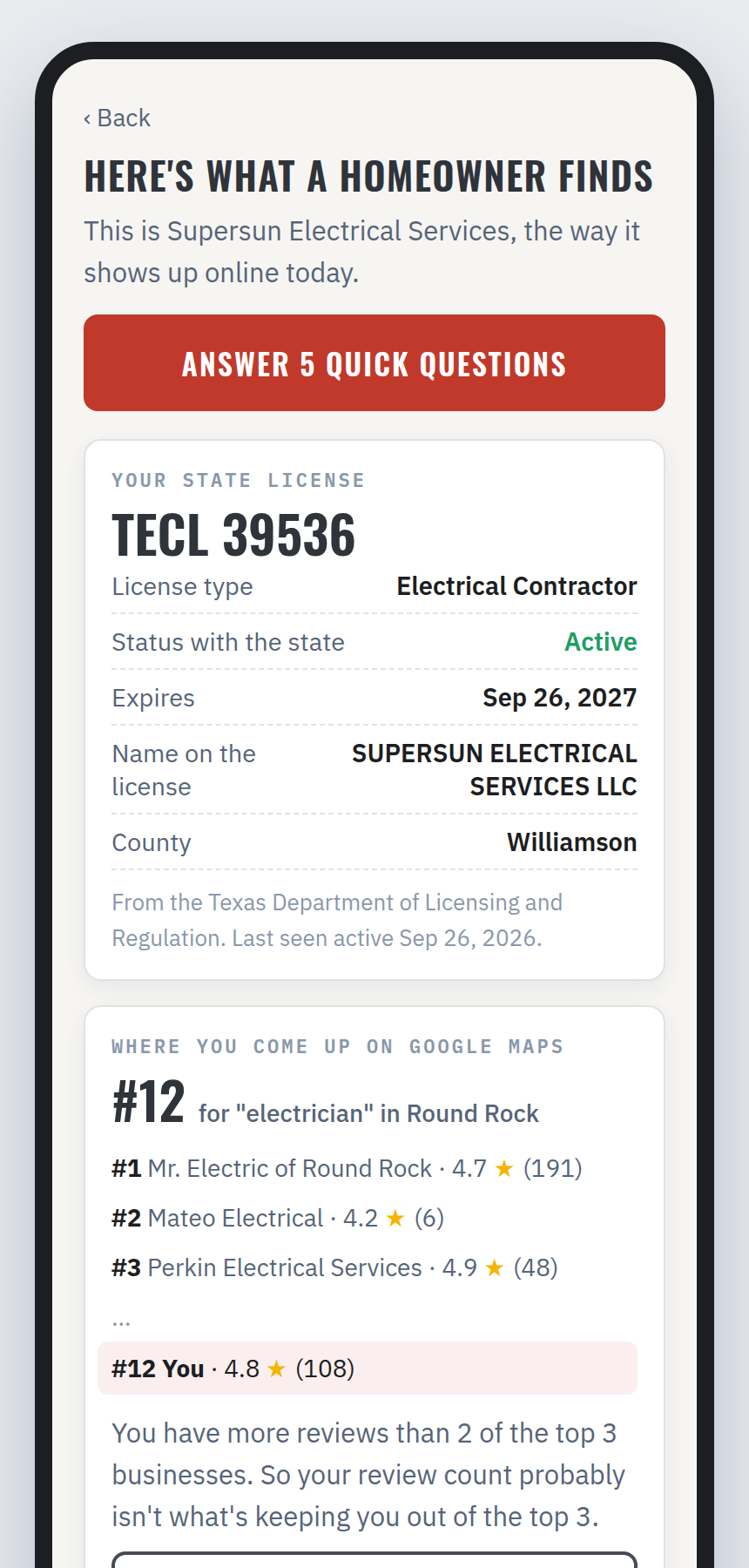 3. What a homeowner finds
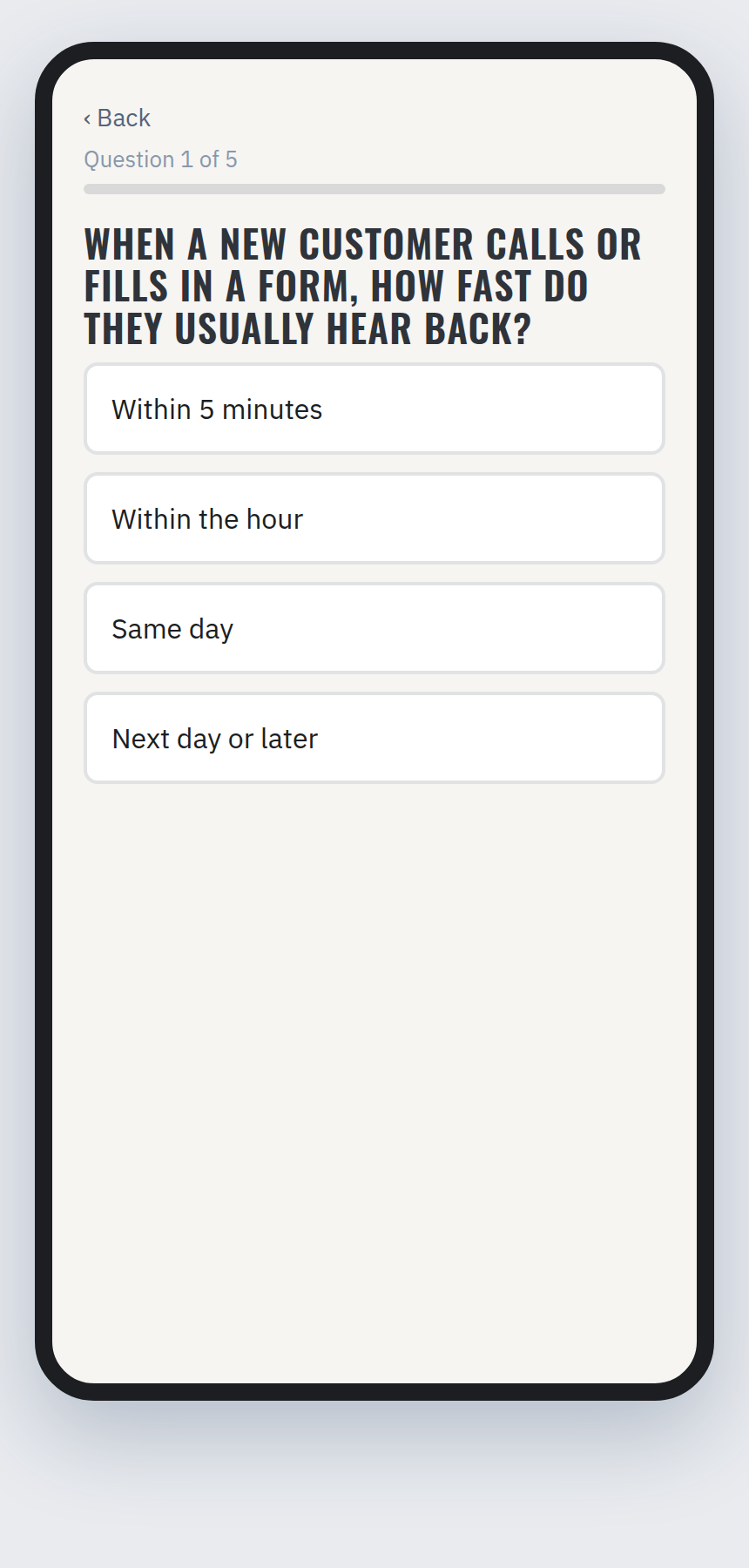 4. 5 questions
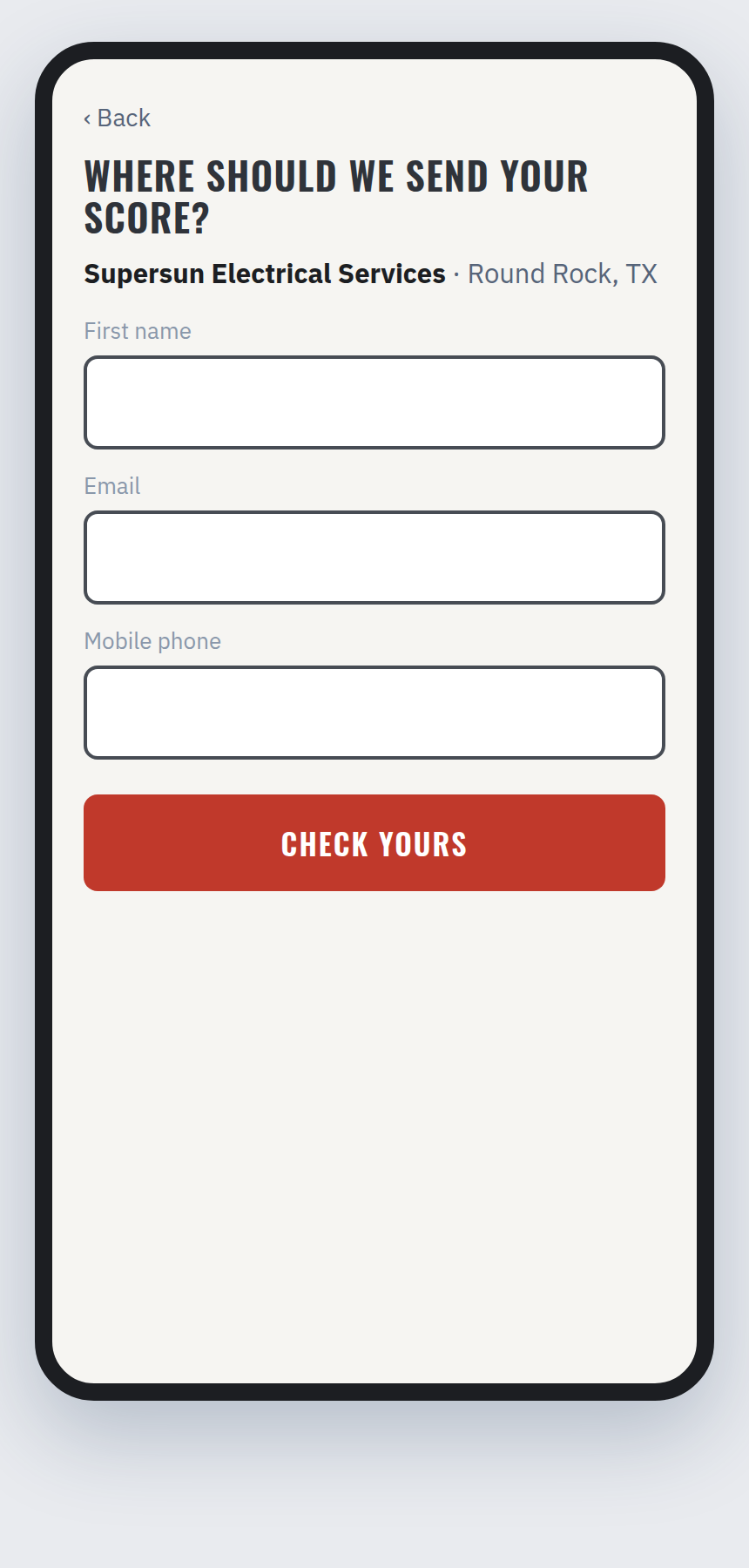 5. He gives his name, email and mobile
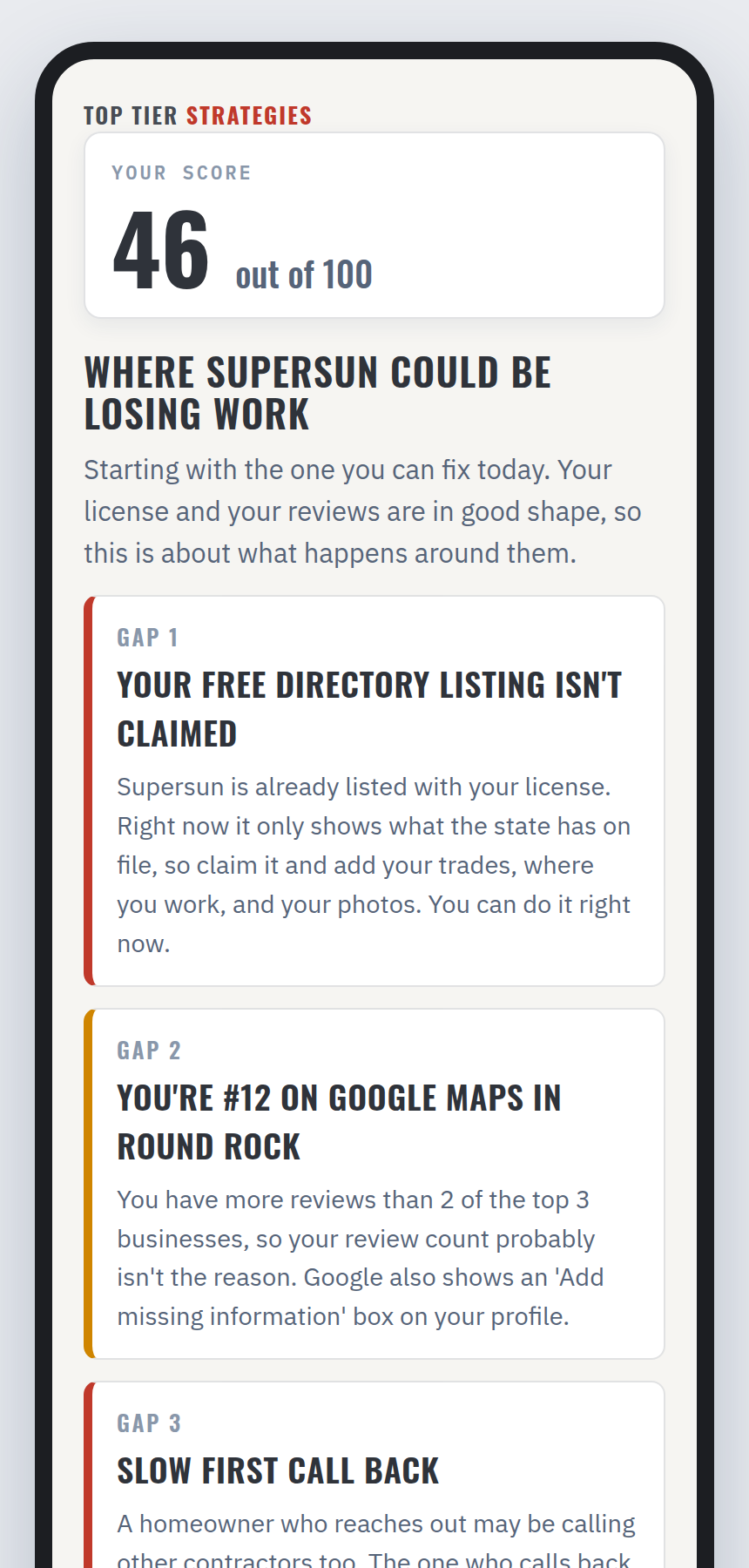 6. His Score, and where he could be losing work
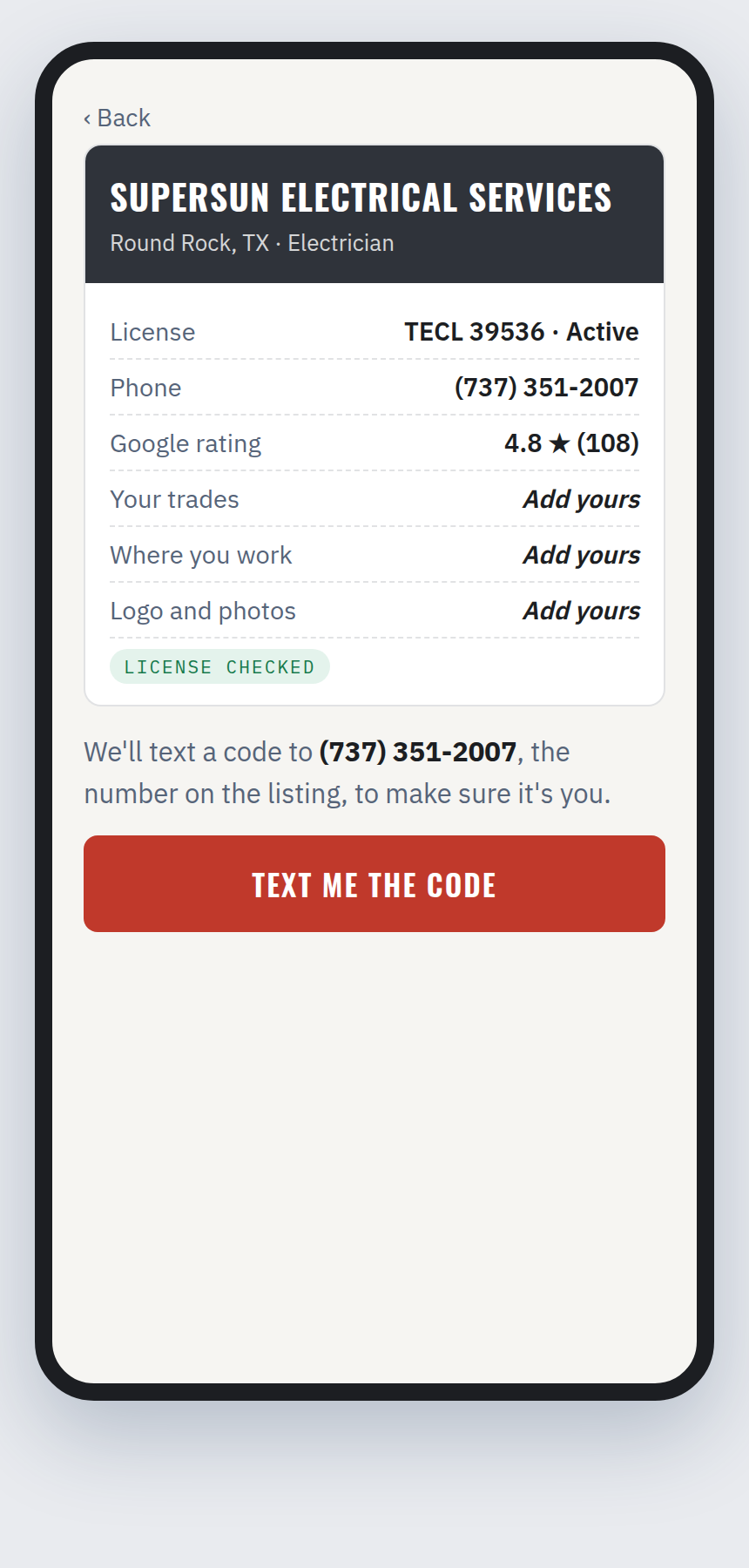 7. He claims his free listing
Already built
- 96,119 Texas and 59,047 California contractor businesses, on our test database.
- 98,280 Texas license numbers, updated every day. 245,153 California license numbers, loading now.
- The Google Maps search: the top 100 for his trade and city, $0.002 a search.
- Live screenshots of his website and his Google profile.
- The follow-up email for a contractor who doesn't finish, in GoHighLevel as a template.
How the Score is worked out
Out of 100. He sees the number only.
What a homeowner finds, 50:
- Google Maps spot, 20: top 3 = 20, #4 to #10 = 12, #11 to #20 = 6, #21 to #100 = 2, not found = 0
- Google profile claimed, 5
- 4.5 stars or better, 5
- Reviews at least the top 3's average, 5
- Website loads, 5
- Website has a description Google can show, 5
- Active state license, or a trade the state doesn't license, 5
His 5 answers, 50: 10 each. Best answer 10, middle 5, worst 0.
Step 3: The free directory listing
Right after the Score, we give him his directory listing for free. His business is already in our directory. He finds it, proves it's his, and fills in what he wants homeowners to see. He keeps it whether he ever pays us or not.
Claiming the listing puts his trade, service area and phone number in our system before we offer him anything paid.
Built, in testing
- 96,119 Texas and 59,047 California contractor businesses in the directory, on our test site.
- 98,280 Texas license numbers, updated every day. 245,153 California license numbers, loading now.
- The directory homeowners will search, by name, trade and city.
- The claim: he proves the business is his with a code texted to the phone number on the listing.
- What he fills in: his trades, his service area, his logo and his photos.
- A review step on our side for claims made by email, so a person checks those before they go through.
Still to do
- Putting the directory on the live site. It's built and tested on a branch. Going live means merging it, running the database changes, and pointing the daily license check at the live database.
Step 4: The Premium Profile, $99 a year
As soon as he claims his listing, the next screen offers him the Premium Profile: $99 a year, down from $249. He gets photos past the first four, video, a project gallery, his full description, every area he serves, his Google reviews on the page, and a dashboard showing how many homeowners viewed his listing and tapped his number.
The Premium Profile is a directory product. It's separate from the membership. If he says no, he goes back to his free listing and keeps it. If he buys, the next screen shows him the membership.
Built, in testing
- The offer screen right after the claim, with his listing attached to the checkout.
- The page that shows the $249 regular price.
- The page he comes back to after he pays, which finds his listing.
- A button for our team to turn Premium on or off by hand.
Running today
- The two Premium checkouts in GoHighLevel. They're public, but nothing sends him to them yet.
Still to do
- The GoHighLevel step that turns Premium on as soon as he pays. Until then, our team will turn it on by hand with that button.
- New wording on the two checkouts.
- Going live at the same time as the free listing.
Step 5: The membership video and page
By now his listing is taken care of, but the rest of his Score still shows problems. So this is where we show him what the membership does about them: his own website, content posted every week, follow-up, review requests, and a text that goes out when he misses a call.
Dan explains it on camera: who we are, what went wrong for us as contractors, what the membership is, and what he gets.
Written and ready
- Two recording scripts for Dan: a short video for the membership page, and the membership walkthrough in 7 short parts.
- A shot list for the Beacon demo account.
- 51 benefits and 172 selling lines, written from contractors' own words.
- The live membership page, and the Founding 300 offer, which is capped at 300 members.
- Answers to what he'll ask about leads: the homeowner picks one contractor, and a person confirms the job is real before he's billed.
Still to do
- Dan records two scripts: a short video for the membership page, and the membership walkthrough in 7 short parts. Open Dan's scripts
- Screenshots of every Beacon demo page, turned into the walkthrough video. Claude can capture these.
- Rebuilding the membership page so he can join right there, with the guarantee at the top and his questions answered on the page.
Step 6: Checkout
One plan: $295 a month, or paid for the year. He pays and signs the agreement on the page. Contractors have been buying through it since July.
Running today
- The one-plan membership page, with products, prices and billing set up for monthly or yearly.
- The membership agreement, signed on screen and filed automatically.
- The 60-day money-back guarantee and month-to-month terms.
- The Founding 300 count.
Still to do
- Moving the guarantee to the top of the checkout page.
- Written answers for a contractor who has a question and no one to ask.
- A follow-up for the contractor who gets to checkout and doesn't finish.
Step 7: His first week as a member
Our roadmap says a new member has to get something real in his first seven days. So in his first week he gets his Cornerstone: a finished marketing piece built from his own jobs and his own customers. We've already delivered one to a real member.
Running today
- A welcome email and text as soon as he pays.
- His logo and brand pulled in and applied automatically.
- His own website, with an editor he signs into with one click.
- Photo uploads, his own blog, and his own page.
- His Cornerstone, which he reviews and approves on his own private link.
- Training, the walkthrough, and mentoring.
- His own numbers: who visited his pages and who contacted him.
Vendors →
How a vendor signs up to send us contractors. Vendor profiles will be on pro.ttscontractors.com, the contractor site. Homeowners won't see them. Open the whole vendor funnel.
Create a profile
The vendor goes to pro.ttscontractors.com and clicks "Create your profile." Contractors claim a listing, but vendors create one.
In progressFill it in
Store name, what it sells, the area it covers, the deal it gives our members, its logo and photos. It's the same kind of form a contractor fills in for his Premium Profile.
In progressThe profile goes live
A public vendor page on pro.ttscontractors.com. Vendors get a profile page only, not their own website.
In progressA GoHighLevel account
We create it as soon as the profile is finished. We've already set one up this way for our demo contractor.
In progressThe tracking page
A page inside that account with the vendor's link, QR code, a table tent to print, and the contractors it has sent us.
In progressWhat we can reuse for vendors
A vendor's contractors scan a QR code and land on the same first page as everyone else. The code inside the vendor's QR credits each scan to that vendor.
Already built
- The link system that decides where each scan lands, so we never have to reprint a tent when the page behind it changes.
- The table tent sizes and the checker that measures the artwork before it goes to print.
- Creating a GoHighLevel account automatically. We've done it once, for our demo contractor.
- The contractor referrals page inside GoHighLevel, which already shows a link, a code, and the clicks on it.
Written so far
- The vendor plan, in the funnel checklist.
- The vendor landing page, and Dan's vendor video script, ready to record. Open Dan's scripts (Script 3)
- The payout: $200 for every contractor a vendor sends who joins the membership.
Where the build stands
Already working
96,119 Texas and 59,047 California businesses are in the directory on our test site. Checkout has taken real payments since July. A member's first-week Cornerstone has been built and delivered. Every scan reports which store and which message it came from.
Next up
The Score, the rebuilt membership page, and Dan's recordings of the two scripts.